+33 (0)4 72 14 17 99
0 Quote
Contact us

Introduction

When designing an industrial workstation, one of the most important decisions is not only which screen size, processor, operating system, or I/O configuration to choose. The real question is more strategic:

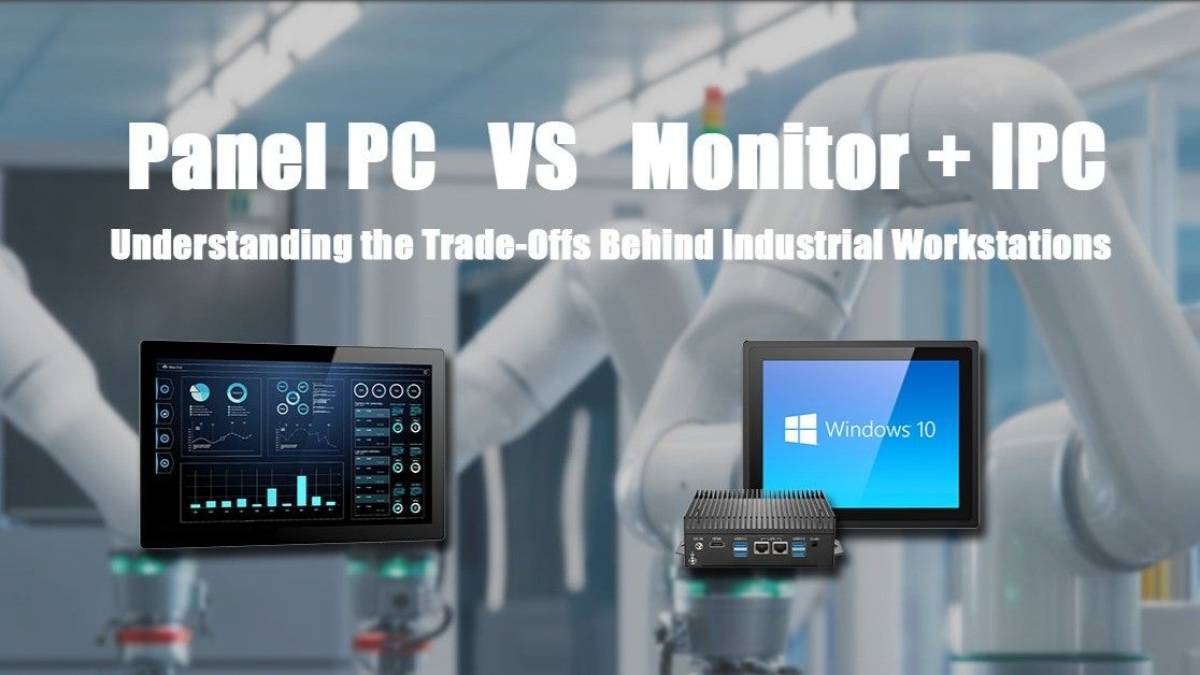
Should the display and the computer be integrated into one industrial Panel PC, or should they be separated into an Industrial Monitor connected to an external IPC?

Both solutions can run HMI software, SCADA interfaces, MES applications, machine supervision tools, quality control systems, and production dashboards. However, they are not designed for the same operational constraints.

Choosing between a Panel PC and an Industrial Monitor + IPC setup directly impacts installation, maintenance, thermal management, scalability, downtime, and long-term lifecycle costs.

This guide explains the technical differences, key advantages, limitations, and best use cases of each approach.
What Is an Industrial Panel PC?

An Industrial Panel PC is an all-in-one industrial computer that integrates a touchscreen display and computing hardware into a single rugged device.

It is typically installed directly on machines, production lines, operator stations, electrical cabinets, or industrial control panels.

A Panel PC usually includes:

  • Industrial touchscreen display
  • Embedded processor
  • RAM and storage
  • Operating system
  • Industrial I/O interfaces
  • Fanless cooling system
  • Rugged enclosure
  • Mounting system such as VESA, panel mount, flush mount, or wall mount

In industrial environments, Panel PCs are commonly used as HMI terminals, machine control interfaces, operator dashboards, or production supervision stations.

What Is an Industrial Monitor + IPC Setup?

An Industrial Monitor + IPC setup separates the display from the computing unit.

In this configuration, the industrial monitor is installed where the operator needs visibility and interaction, while the industrial PC is mounted separately in a cabinet, control room, electrical enclosure, rack, or protected technical area.

This setup usually includes:

  • Industrial touchscreen monitor
  • Separate fanless industrial PC or box PC
  • Video connection such as HDMI, DisplayPort, VGA, or DVI
  • USB or dedicated touch interface
  • External power supply
  • Mounting accessories
  • Optional industrial network connectivity

This approach is often used in control rooms, production monitoring areas, port operations, depot maintenance centers, utility control systems, and industrial supervision environments.

Panel PC vs Industrial Monitor + IPC: The Core Difference

At first glance, both solutions may appear similar. Both can display software interfaces, support touch interaction, connect to industrial systems, and run operator applications. The difference is not only technical.

It is mainly about where the computing power should be located.

  • With a Panel PC, the display and computer are in the same physical location.
  • With an Industrial Monitor + IPC, the display and computer can be installed separately.

That difference affects almost every part of the project: installation, maintenance, heat exposure, replacement strategy, scalability, and lifecycle management.

When a Panel PC Is the Best Choice

A Panel PC is usually the most practical solution when the operator, the display, and the computer need to stay in the same place.

This is common in machine-level applications where the workstation is directly attached to the equipment.

Typical applications include:

  • Packaging machines
  • CNC equipment
  • Food processing lines
  • Pharmaceutical production systems
  • Machine-level HMI stations
  • Electrical cabinet interfaces
  • Production line control points
  • Self-service terminals
  • Industrial kiosks

In these situations, the Panel PC provides a compact, clean, and efficient setup.

Main Advantages of an Industrial Panel PC

1. Compact All-in-One Design

A Panel PC integrates the screen and computer into one device. This reduces the number of components to install, wire, and maintain.

For machine builders and OEMs, this can simplify the design of the operator interface and reduce the space required on the machine.

2. Simplified Installation

Because the computing unit is already integrated into the display, installation is usually faster.

There is no need to install a separate IPC, route long video cables, or manage additional mounting space for a remote computer.

This is especially useful for equipment manufacturers who need repeatable, standardized integration across multiple machines.

3. Reduced Cabling

A Panel PC reduces the number of cables required between the display, computer, and enclosure.

This can improve the cleanliness of the installation and reduce potential cable-related failures in moving, dusty, or space-constrained environments.

4. Smaller Footprint

Panel PCs are ideal when available space is limited.

They can be mounted directly on machine frames, control panels, operator consoles, cabinet doors, or arms, depending on the application.

5. Efficient Machine-Level HMI Integration

For HMI applications, a Panel PC is often the most direct choice.

It gives operators access to the machine interface exactly where the interaction takes place, without requiring a separate computing unit elsewhere.

Limitations of a Panel PC

A Panel PC is not always the best option. Because the screen and computer are integrated into one device, some limitations should be considered during the design phase.

1. Shared Lifecycle Between Display and Computer

If the display fails, reaches the end of its lifecycle, or needs to be replaced, the integrated computer may also be affected.

Similarly, if the computing platform becomes outdated, the entire unit may need to be replaced even if the display is still working.

2. Less Flexibility for Future Upgrades

Upgrading a Panel PC can be more limited than upgrading a separate IPC.

If an application later requires more processing power, more storage, additional interfaces, or a different operating system, replacing the full unit may be necessary.

3. Heat Exposure Near the Machine

Panel PCs are often installed close to production equipment.

In environments with high ambient temperature, machine heat, dust, vibration, or cleaning constraints, the integrated computer is exposed to the same conditions as the display.

This makes thermal design and environmental protection especially important.

4. Maintenance Can Be Less Convenient

If the Panel PC is mounted directly on a machine, maintenance access depends on the machine layout.

In some installations, accessing the unit may require stopping equipment, opening a cabinet, or working in a restricted area.

When Industrial Monitor + IPC Is the Better Choice

An Industrial Monitor + IPC setup becomes more relevant when the display and computer do not need to be physically located together.

This is often the case in industrial environments where the operator interface must be visible and accessible, but the computer should remain protected, easier to maintain, or centrally managed.

Typical applications include:

  • Control rooms
  • Production monitoring stations
  • Depot maintenance centers
  • Port operation centers
  • Utility control systems
  • Multi-screen supervision areas
  • Industrial command centers
  • Remote operator stations
  • Harsh environments where the computing unit requires extra protection

In these cases, separating the display from the computing platform can provide significant long-term advantages.

Main Advantages of Industrial Monitor + IPC

1. Greater Installation Flexibility

The industrial monitor can be installed where operators need to view and control the system, while the IPC can be placed in a protected location.

This is useful when the operator station is exposed to dust, vibration, moisture, cleaning operations, or temperature variations, but the computing unit can be better protected elsewhere.

2. Easier Maintenance

A separate IPC is often easier to access when installed in a cabinet, rack, control room, or technical enclosure.

Technicians can service, replace, or upgrade the computer without removing the display from the operator station.

This can reduce downtime and simplify maintenance planning.

3. Better Thermal Management

Separating the computer from the display can improve thermal control.

The IPC can be placed in a better-ventilated or temperature-controlled area, away from machine heat, direct sunlight, washdown zones, or enclosed operator panels.

This is especially important for applications requiring higher CPU performance or 24/7 operation.

4. Independent Replacement of Display and Computer

With an Industrial Monitor + IPC setup, the monitor and computer can be replaced independently.

If the monitor reaches the end of its lifecycle, the IPC can remain in place.

If the application requires more computing performance, the IPC can be upgraded while keeping the same display infrastructure.

This separation can improve long-term cost control.

5. Better Scalability

Industrial Monitor + IPC systems are often better suited for projects that may evolve over time.

They can support future changes such as:

  • More powerful processors
  • Additional I/O interfaces
  • More storage capacity
  • Multiple displays
  • New software requirements
  • Centralized computing
  • Remote maintenance strategies

This makes the setup particularly relevant for facilities planning long-term expansion.

Limitations of Industrial Monitor + IPC

Although flexible, an Industrial Monitor + IPC setup also introduces specific design considerations.

1. More Components to Integrate

This approach requires at least two main devices: the monitor and the IPC.

It may also require additional cabling, mounting accessories, power supplies, and cable management.

2. More Complex Installation

Because the display and computer are separate, integrators must plan cable routing, signal distance, touch communication, power distribution, and mounting locations.

This can increase installation time compared with an all-in-one Panel PC.

3. Higher Initial Design Effort

A separated setup may require more planning during the engineering phase.

The benefits are often long-term, but the initial system design must be carefully defined.

Comparison Table: Panel PC vs Industrial Monitor + IPC

Criteria Panel PC Industrial Monitor + IPC
Device structure Display and computer in one unit Display and computer separated
Best for HMI machine, poste compact, intégration directe Control rooms supervision, scalable systems
Installation Machine-level HMI and compact workstations More flexible but requires more planning
Cabling Simpler and faster More cabling between monitor and IPC
Footprint Reduced cabling Depends on monitor and IPC placement
Maintenance Compact IPC can be serviced separately
Upgrade strategy May require access to the full unit Monitor and IPC can be upgraded independently
Thermal management Full unit may need replacement IPC can be placed in a protected location
Scalability Good for fixed applications Better for evolving systems
Lifecycle management Shared lifecycle Independent lifecycle

The Key Technical Question: Does the Computer Need to Be Next to the Operator?

Many industrial workstation projects begin with hardware specifications: screen size, processor, memory, storage, touch type, IP rating, or operating system.

These specifications are important, but they should come after a more fundamental question:

Does the computer actually need to be located next to the operator?

  • If the answer is yes, a Panel PC is often the most efficient choice.
  • If the answer is no, an Industrial Monitor + IPC setup may offer better flexibility, maintainability, and long-term value.

This question helps avoid common design mistakes, such as placing computing hardware in a harsh area when it could be protected elsewhere.

Choose a Panel PC If…

A Panel PC is generally the right choice when:

  • The operator works directly on or near the machine

  • The display and computer must remain together

  • Space is limited

  • Installation speed matters

  • Cabling must be minimized

  • The application is stable and unlikely to require major upgrades

  • The workstation is mainly used as a machine-level HMI

  • A clean all-in-one installation is preferred

For OEMs and machine builders, Panel PCs are often a strong choice because they simplify integration and deliver a professional, compact operator interface.

Choose Industrial Monitor + IPC If…

An Industrial Monitor + IPC setup is usually better when:

  • The computer does not need to be installed next to the operator

  • Maintenance access is important

  • The IPC should be protected inside a cabinet or technical room

  • Heat, dust, vibration, or cleaning operations are a concern

  • Future computing upgrades are expected

  • Multiple displays may be required

  • The installation needs long-term flexibility

  • The project involves supervision, control rooms, or centralized monitoring

This approach is particularly useful when the workstation must remain adaptable over time.

Panel PC for Machine Builders and OEMs

Machine builders often choose Panel PCs because they simplify equipment design.

A Panel PC can be mounted directly onto a machine and used as the main HMI interface. This reduces integration complexity and gives operators direct access to production data, recipes, alarms, machine status, and control screens.

For OEMs building repeatable systems, the all-in-one format also helps standardize installation across different machines.

Typical OEM use cases include:

  • Packaging equipment

  • Processing machines

  • Assembly lines

  • Robotic cells

  • CNC machines

  • Industrial terminals

  • Automated inspection systems

In these applications, a Panel PC helps keep the workstation compact and directly connected to the machine process.

Industrial Monitor + IPC for Control Rooms and Supervision

In control rooms and supervision areas, the display and computer are often better separated.

Operators may only need a rugged touchscreen monitor at their workstation, while the IPC remains inside a cabinet, rack, or protected technical area.

This setup can improve accessibility, simplify upgrades, and reduce exposure of computing hardware to harsh conditions.

Typical use cases include:

  • SCADA supervision

  • MES dashboards

  • Production monitoring

  • Utility control

  • Port operations

  • Transportation monitoring

  • Depot maintenance centers

  • Industrial command rooms

For these environments, Industrial Monitor + IPC systems offer a more flexible foundation for long-term operation.

Touch Technology: Resistive or Projected Capacitive?

Both Panel PCs and Industrial Monitors can be equipped with different touch technologies.

The two most common options are resistive touch and projected capacitive touch, also known as P-CAP.

Resistive Touch

Resistive touch is often used in industrial environments where operators wear gloves, use styluses, or work in conditions where precision and basic durability are required.

It can be suitable for applications where the interface is simple and touch gestures are limited.

Projected Capacitive Touch

P-CAP touch provides a smoother user experience and supports more responsive interaction.

It is often preferred for applications requiring multi-touch gestures, modern HMI interfaces, or frequent operator interaction.

The right choice depends on the operating environment, glove usage, cleaning constraints, and interface requirements.

Environmental Factors to Consider

Industrial workstations must be designed for their operating environment.

Before choosing between a Panel PC and an Industrial Monitor + IPC, it is important to evaluate:

  • Ambient temperature

  • Dust exposure

  • Water or cleaning requirements

  • Vibration level

  • Shock risk

  • Electromagnetic interference

  • Mounting constraints

  • Operator accessibility

  • Maintenance procedures

  • Required IP rating

  • Required screen brightness

  • Continuous 24/7 operation

A workstation installed on a production line does not face the same constraints as a monitor installed in a control room or a computer mounted inside a protected cabinet.

Maintenance Strategy: A Critical Decision Factor

Maintenance is one of the most underestimated criteria when choosing an industrial workstation.

A Panel PC can be simpler to deploy, but the integrated design means the display and computer are maintained as one unit.

An Industrial Monitor + IPC setup allows technicians to manage each component separately.

This can be important when:

  • Production downtime is costly

  • Maintenance teams need easy access to the computer

  • Spare parts must be managed independently

  • The computing platform may require upgrades

  • The display is exposed to harsher conditions than the IPC

  • Long-term lifecycle planning is important

For facilities with strict maintenance procedures, the separated approach can offer a real operational advantage.

Thermal Management: Why Location Matters

Heat can affect the long-term reliability of industrial computing hardware.

With a Panel PC, the processor, memory, storage, and display electronics are installed in the same enclosure. This means the entire unit must be designed to handle the thermal conditions of the operator area.

With an Industrial Monitor + IPC setup, the IPC can be installed in a location with better airflow, lower temperature, or additional protection.

This can be a major advantage in applications involving:

  • High ambient temperature

  • Enclosed production equipment

  • Outdoor or semi-outdoor operation

  • High-brightness displays

  • Higher-performance processors

  • 24/7 industrial computing workloads

Thermal design is not only a hardware detail. It directly influences reliability and service life.

Scalability and Future Upgrades

Industrial systems are rarely static.

Software evolves. Data volumes increase. Production lines expand. Monitoring requirements become more complex.

That is why scalability should be considered early.

A Panel PC is well suited for stable applications where the computing requirements are clearly defined.

An Industrial Monitor + IPC setup is often more scalable because the IPC can be upgraded independently from the display.

This makes it easier to adapt to:

  • New software versions

  • Higher CPU requirements

  • More storage

  • Additional I/O

  • Edge computing workloads

  • More advanced supervision systems

  • Multi-display installations

For projects with expected future growth, the separated setup can reduce the risk of premature hardware replacement.

Cost Considerations: Initial Cost vs Lifecycle Value

The most cost-effective solution is not always the one with the lowest initial hardware cost.

A Panel PC can reduce installation time, cabling, and integration effort. This can make it very cost-efficient for machine-level applications.

An Industrial Monitor + IPC setup may require more components and more planning, but it can provide better lifecycle value when upgrades, maintenance, or independent replacement are important.

The right cost analysis should include:

  • Hardware cost

  • Installation time

  • Cabling and accessories

  • Maintenance access

  • Downtime impact

  • Spare parts strategy

  • Upgrade needs

  • Expected lifecycle

  • Replacement flexibility

In industrial environments, lifecycle cost is often more important than purchase price alone.

Common Mistakes to Avoid

Mistake 1: Choosing Based Only on Processor Specifications

Processor performance matters, but it should not be the first decision point.

The first decision should be whether the computing unit must be installed with the display.

Mistake 2: Ignoring Maintenance Access

A workstation that is easy to install may not always be easy to maintain.

Maintenance access should be reviewed before final hardware selection.

Mistake 3: Underestimating Heat Exposure

If the operator area is hot, dusty, or exposed to cleaning procedures, placing the computer there may not be ideal.

Mistake 4: Forgetting Future Upgrades

If software requirements are likely to evolve, a separated IPC may offer better long-term flexibility.

Mistake 5: Treating All Industrial Workstations the Same

A machine-level HMI and a control room supervision station do not have the same constraints.

The best hardware choice depends on the full operating context.

Decision Checklist: Panel PC or Industrial Monitor + IPC?

Before choosing a solution, answer these questions:

  1. Does the computer need to be located next to the operator?

  2. Is the workstation installed directly on a machine?

  3. Is space limited?

  4. Is cabling reduction a priority?

  5. Will the system require future upgrades?

  6. Is maintenance access easy at the operator station?

  7. Is the environment exposed to heat, dust, water, or vibration?

  8. Should the display and computer be replaceable independently?

  9. Are multiple displays required?

  10. Is the application fixed or expected to evolve?

If most answers point toward compact machine-level integration, a Panel PC is likely the best choice.

If most answers point toward maintenance, scalability, protected computing, or separated installation, an Industrial Monitor + IPC setup is likely more suitable.

FAQ: Panel PC vs Industrial Monitor + IPC

What is the difference between a Panel PC and an Industrial Monitor?

A Panel PC integrates the display and computer into one industrial device. An Industrial Monitor is only the display interface and must be connected to a separate computer, such as a fanless industrial PC or box PC.

Is a Panel PC better than an Industrial Monitor + IPC?

Not always. A Panel PC is better for compact machine-level HMI applications. An Industrial Monitor + IPC setup is better when the computer should be installed separately for maintenance, thermal management, or upgrade flexibility.

When should I choose a Panel PC?

Choose a Panel PC when the operator, display, and computer need to be located in the same place, especially on machines, production lines, electrical cabinets, or HMI stations.

When should I choose an Industrial Monitor with an IPC?

Choose an Industrial Monitor + IPC setup when the display must be near the operator but the computer can be installed in a protected cabinet, control room, or technical enclosure.

Which solution is easier to maintain?

An Industrial Monitor + IPC setup is often easier to maintain because the computer can be accessed and replaced separately from the display. A Panel PC is simpler to install but integrates both parts into one unit.

Which solution is better for future upgrades?

Industrial Monitor + IPC is generally better for future upgrades because the IPC can be replaced or upgraded without changing the monitor.

Which solution is better for machine builders?

Panel PCs are often preferred by machine builders because they provide a compact all-in-one HMI solution that is easier to integrate directly into equipment.

Which solution is better for control rooms?

Industrial Monitor + IPC setups are often better for control rooms because they allow displays to be installed at operator stations while computers remain centralized or protected.

Does an Industrial Monitor need a computer?

Yes. An Industrial Monitor only displays the interface. It must be connected to a computer, typically an industrial PC, box PC, embedded computer, or fanless IPC.

Can a Panel PC run SCADA or MES software?

Yes. Depending on the operating system, processor, memory, and software requirements, a Panel PC can be used for SCADA, MES, HMI, production supervision, and industrial control applications.

Final Recommendation

There is no universal winner between a Panel PC and an Industrial Monitor + IPC setup.

They serve different industrial needs.

A Panel PC is usually the best choice when the goal is a compact, all-in-one workstation installed directly on a machine or operator station.

An Industrial Monitor + IPC setup is often the better choice when the project requires more flexibility, easier maintenance, better thermal management, or independent upgrades.

The right decision depends on how operators, machines, software, and maintenance teams interact in the real environment.

For industrial projects, the best workstation is not only the one with the right specifications. It is the one that remains practical, serviceable, and reliable throughout its lifecycle.

INtronix Systems Industrial Workstation Solutions

INtronix Systems supports both approaches with a complete portfolio of industrial hardware, including:

  • Industrial Panel PCs

  • Industrial Touch Monitors

  • Fanless Industrial PCs

  • Embedded Box PCs

  • Rugged computing platforms

  • Custom and OEM/ODM configurations

Whether the project requires a compact machine-level HMI or a separated Industrial Monitor + IPC setup, INtronix Systems helps customers select and configure hardware adapted to their industrial environment, integration constraints, and long-term operational requirements.

Need help choosing between a Panel PC and an Industrial Monitor + IPC? Contact INtronix Systems to define the right industrial workstation setup for your application.